Stitch Hero brings five centuries of saddle-stitch tradition to the laser bed — a desktop CAD app
whose stitch holes match your pricking iron tooth for tooth, and
line up hole for hole across every piece you cut.
v0.2 · free while in development · macOS universal · Windows 10+ · MIT
Spacing
3.85 mm means 3.85 mm
Chord-true gaps that match a physical iron — on straights, around curves, through corners.
Registration
Hole for hole
Duplicated, mirrored and seam-shared pieces punch identically. Every time, by construction.
Output
SVG · DXF · 1:1 PDF
Clean closed polylines for LightBurn or Illustrator — or print at true scale, tape and cut.
The idea
A five-hundred-year-old stitch. A tenth-of-a-millimeter toolpath.
est. long ago
The part worth keeping
The saddle stitch has never been improved on. Two needles, one thread, every stitch locked
on its own — a seam no machine can make. And the tool that spaces it hasn't changed either:
a pricking iron's teeth are rigid steel, a fixed distance apart, and every leatherworker's
rhythm is built around that pitch.
est. right now
The part worth replacing
The drudgery deserves no nostalgia: wing dividers, tick marks, recounting holes around a
corner and hoping two panels agree. A laser cuts and punches a whole pattern in seconds —
if the file is right.
Stitch Hero exists to make the file right.
Problem 01 — corners
Every corner, auto-fitted.
A traditional CAD tool marches holes a fixed distance along the contour (arc length). Around a
rounded piece the corners land wherever they fall and the loop closes on a leftover gap. Stitch Hero
auto-fits instead — it nudges the pitch a few percent per span so every corner is
symmetric about its apex (a hole on it, or an even pair straddling it) and the whole loop
closes evenly. No counting, no fudging.
Traditional CADarc-length
Marched at a fixed 3.85 mm along the contour. Steady on the straights, but the corners land
inconsistently and — the perimeter not dividing evenly — the loop closes on a crammed
1.5 mm gap where the stitching meets itself.
Stitch Heroauto-fit
Auto-fit nudges the pitch a few percent per span (3.79 mm average here) so every corner
sits symmetric about its apex and the loop closes even — all the way around. Computed, not counted.
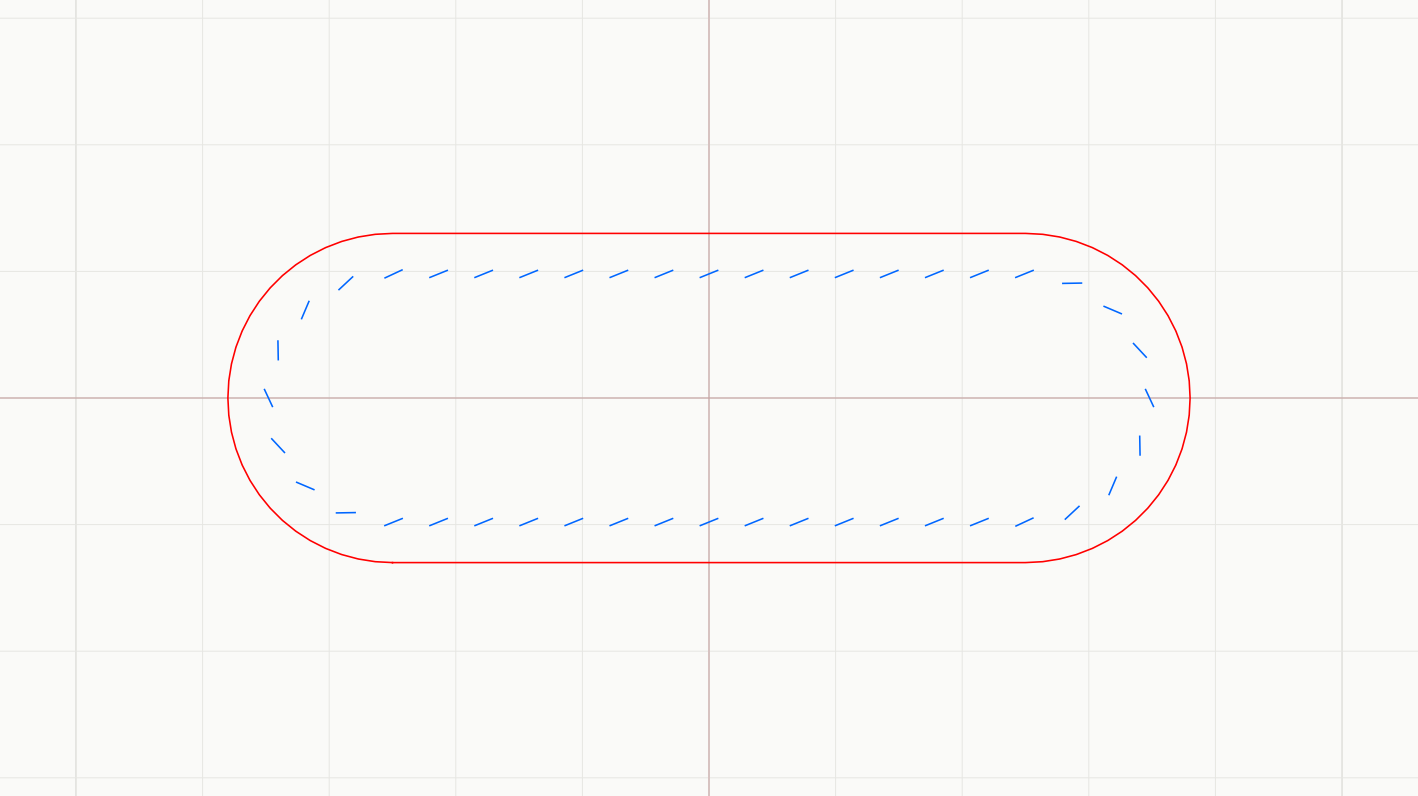
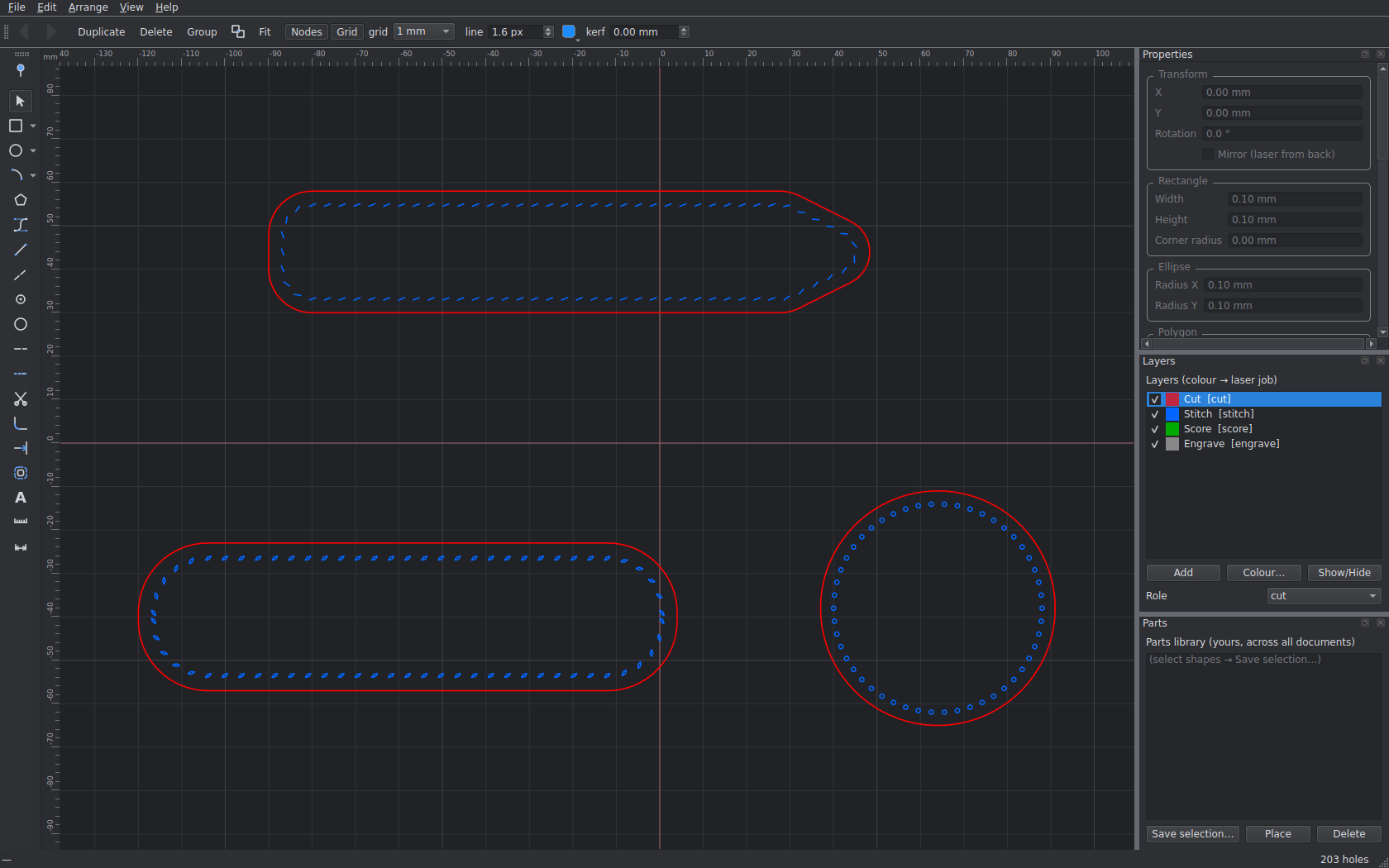
The same auto-fit in the app — a strap end whose holes stay symmetric about the
apex all the way around a full 180° cap, chord-spaced to the iron. No lone hole drifting off
a bend, no crammed closure.
Problem 02 — registration
Every piece agrees, hole for hole.
A front and its lining must share identical hole positions or nothing lines up at the bench.
Stitch Hero guarantees it three ways —
GUARANTEE 01
Deterministic
Same outline + same settings = byte-identical hole layouts.
Duplicate a panel and the holes already match — no re-punching, no drift.
GUARANTEE 02
Mirror-safe
Flip a piece to laser it from the back and every hole stays registered —
slanted slits mirror too, so they line up when the piece is turned over.
GUARANTEE 03
Shared seams
Different outlines meeting on one edge — gusset against panel? Draw one stitch line
and every piece against it gets exactly the same holes.
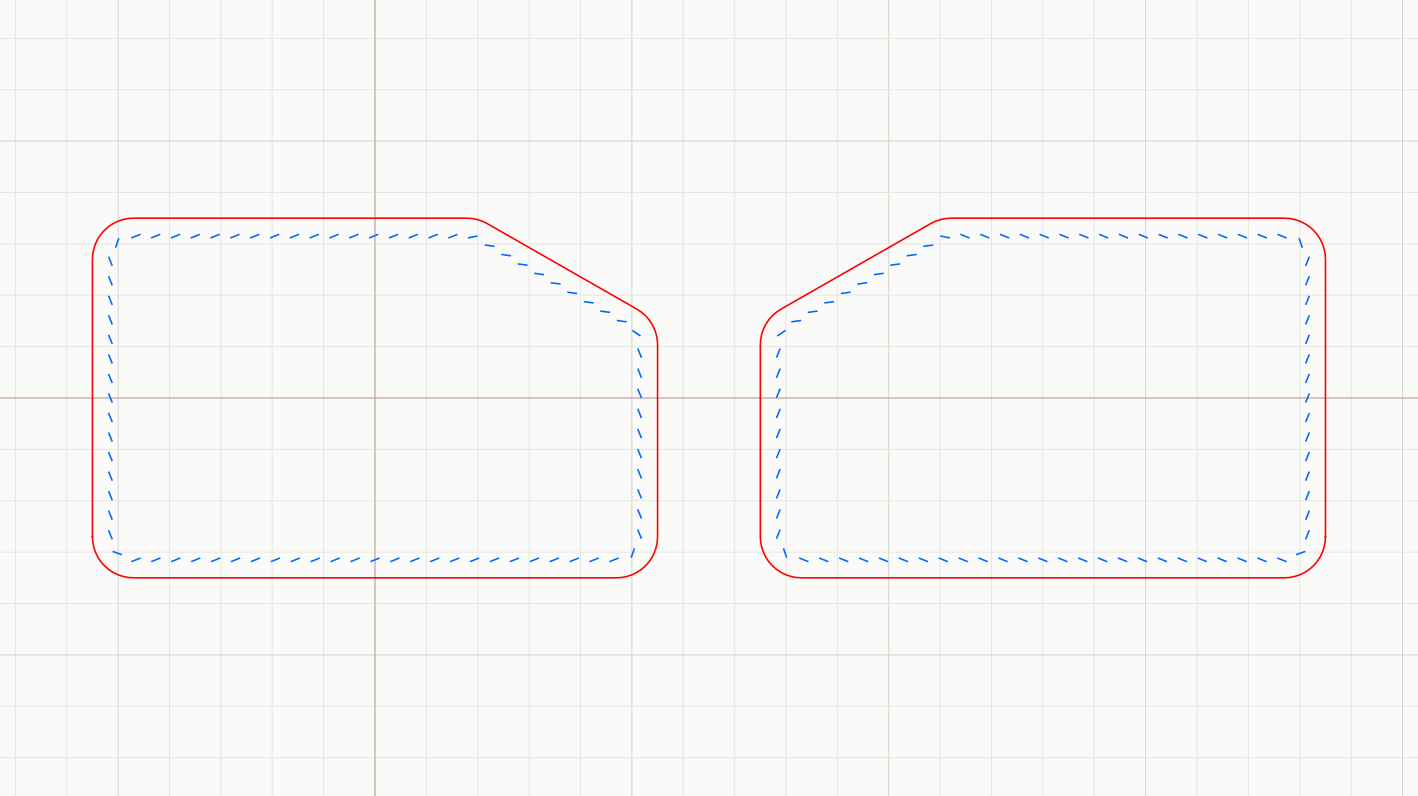
Make back piece (Ctrl+M) mirrors a panel and regenerates its stitching so the
two register hole-for-hole — laser one from the front and one from the back and they still line up.
Same outline, same settings, byte-identical holes.
"The romance is in the stitching — not in marking out
four hundred holes with a wing divider and a prayer."
— why this app exists
The drawing bench
A real CAD bench, sized for leather.
Not a plugin, not a spreadsheet of coordinates — a proper millimeter-true drafting
tool that happens to know what a pricking iron is.
Pen & true arcs
Rectangles, circles by 2 or 3 points, polygons, 3-point arcs and a vector pen with bezier
handles. Arcs stay arcs — node-edit everything.
Trim like Fusion
Click the part of an outline you don't want; it's cut back to the nearest intersections.
Arcs survive, closed shapes open, open paths split.
Smart snapping
Endpoints, midpoints, centers, quadrants, intersections, stitch holes — with
Illustrator-style alignment guides and construction lines.
Exact by nature
Millimetre-true canvas, type-in sizes, a live measure tool, and dimension annotations
that track the shapes they're pinned to.
Layers → laser jobs
Color-coded Cut / Score / Engrave / Stitch layers map straight onto laser operations.
Hide Cut to inspect just the stitching.
Your iron, your holes
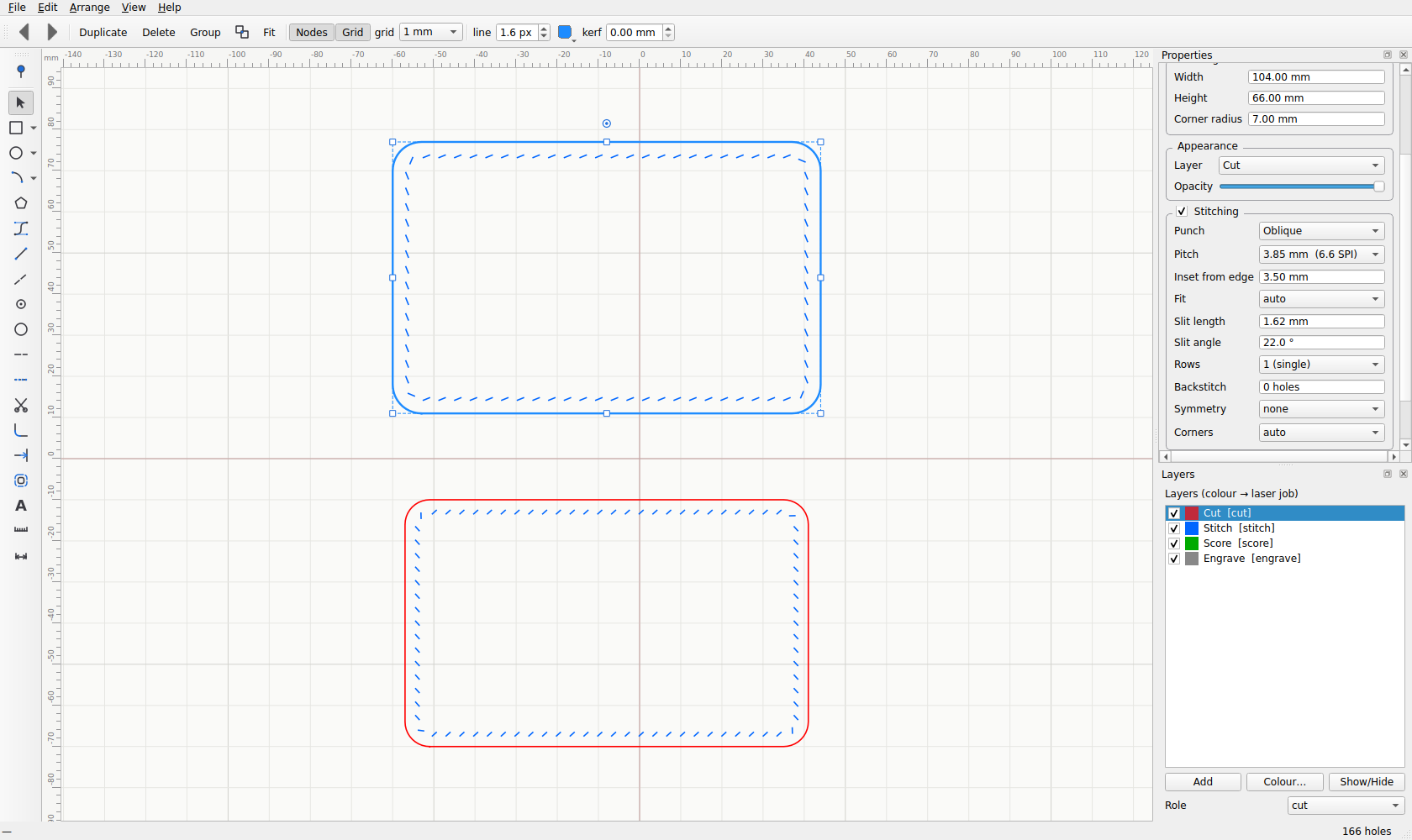
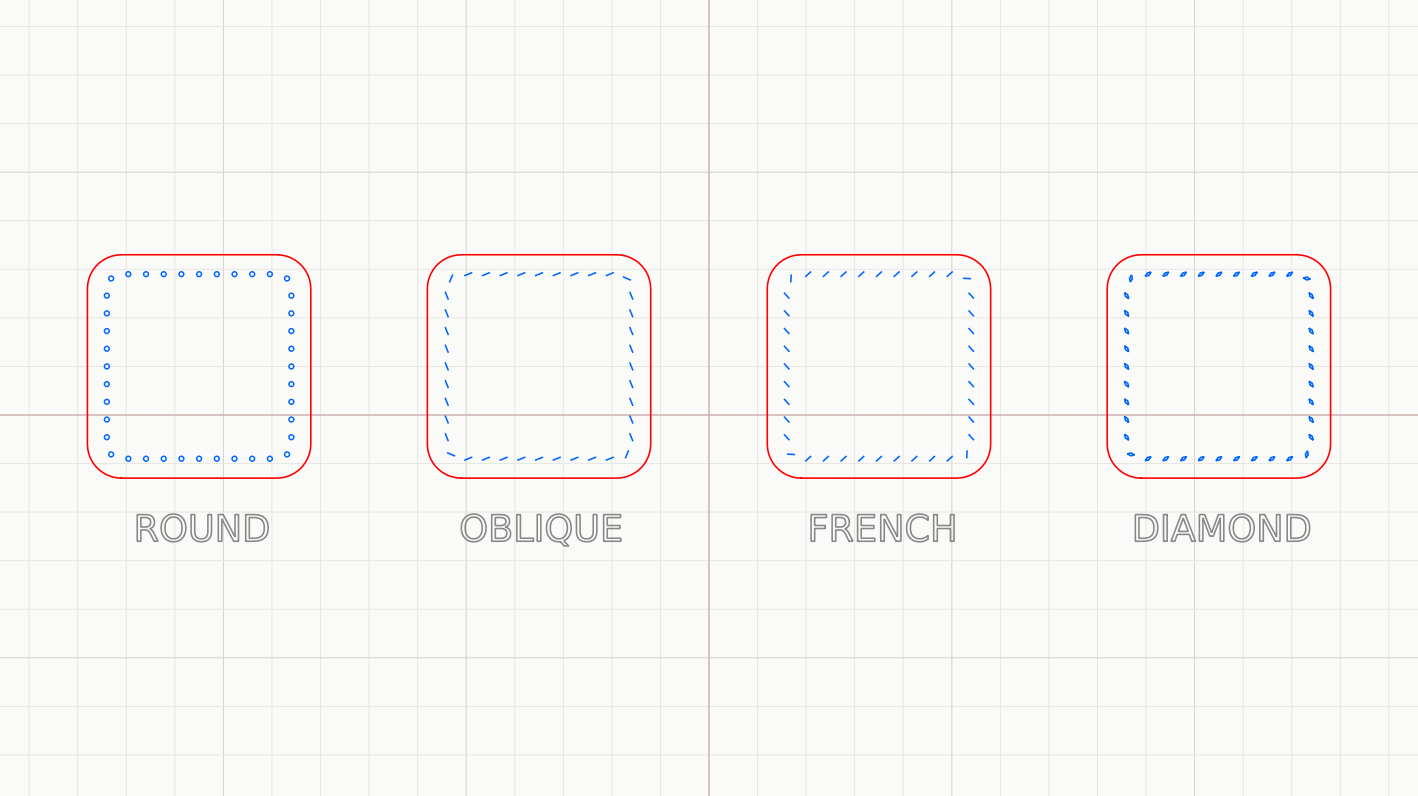
Per-shape irons from 2.0–5.0 mm or SPI, in four punch shapes — round, oblique, French,
diamond — rendered and exported with the true tooth.
Out to the world
SVG and DXF as clean closed polylines LightBurn understands, JSON projects,
and 1:1 tiled PDF for tape-and-cut.
Import & trace
Bring existing SVG or DXF drawings in as editable shapes — or drop a photo behind the canvas,
calibrate it to real millimeters, and trace over it.
Cut-outs & windows
Boolean union, difference and intersect punch windows and card slots straight out of a panel —
and offset an outline for a true seam allowance.
Nest & compensate
Shape-aware nesting packs your pieces onto a sheet to save leather, and kerf compensation
grows each cut by half the beam so parts come out drawn-size.
Know the job first
Leather area and waste, saddle-stitch thread length, and a full cost breakdown when you feed
it your prices.
Round, oblique, French or diamond. Pick the punch and the pitch that match the
iron on your bench, and the holes render — and export — with the real tooth shape.A proper dark mode for late-night bench sessions — and curves get the same
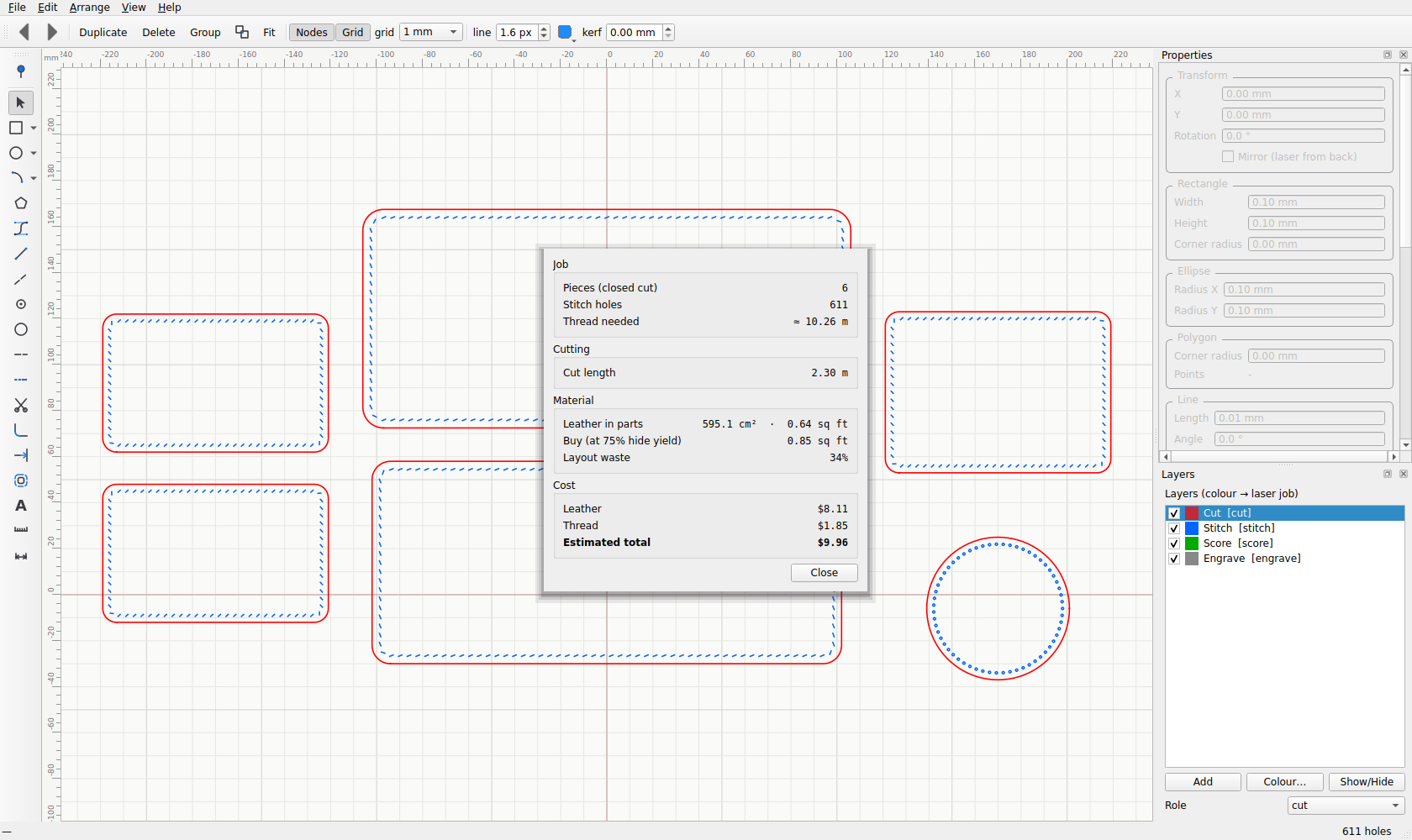
chord treatment as straights, marching cleanly right around every taper.Quote a job in one click. From the drawing alone: pieces, stitch holes, thread
length, leather used versus leather to buy (hide-yield waste and all), and a full material
cost. This six-piece wallet — $9.96 in leather and thread, before you cut a thing.
The workflow
From idea to heirloom in four moves.
01
Draw
Sketch your pieces in millimeters — snap, trim, radius the corners, type exact sizes.
02
Punch
Pick your iron. Chord-true holes flow around the outline — symmetric, fitted, registered.
03
Laser
Export layered SVG or DXF straight into LightBurn — cut, score, engrave and punch in one job.
04
Stitch
Two needles, one thread. The holes line up — because they were never allowed not to.
Put a laser behind your pricking iron.
Ready-to-run builds for both platforms — no setup, no dependencies.
Open the app, draw a card holder, and burn it tonight.